


Google Wallet
4.4121.12K Reviews
App Specs
- Version
- Varies with Device
- Updated On
- License
- Free
- Downloads
- 1,000,000,000+
- Developer
- Google LLC
- Categories
- Finance
- Platform
- Android, iOS
Screenshots
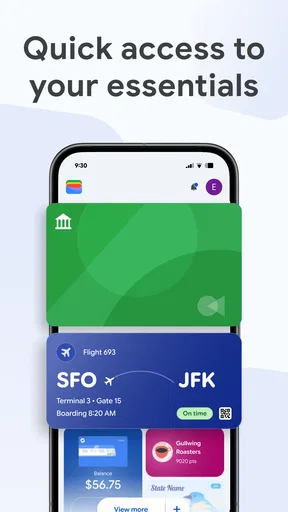
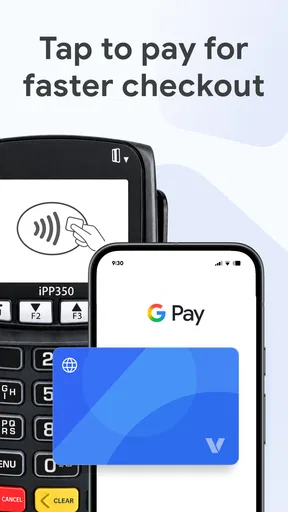
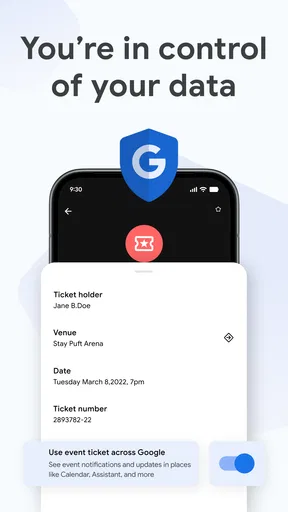
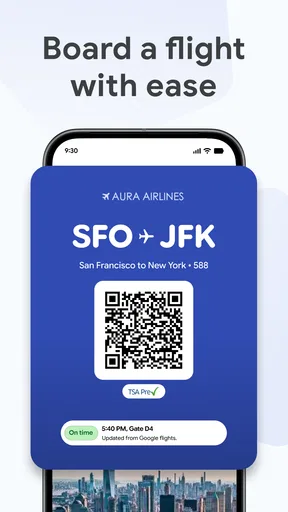
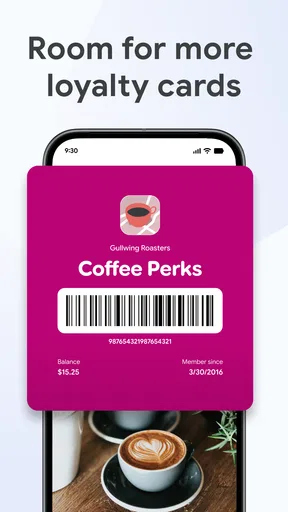
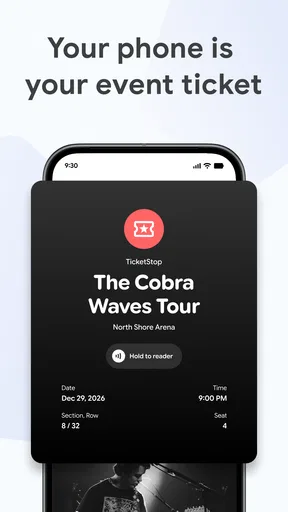
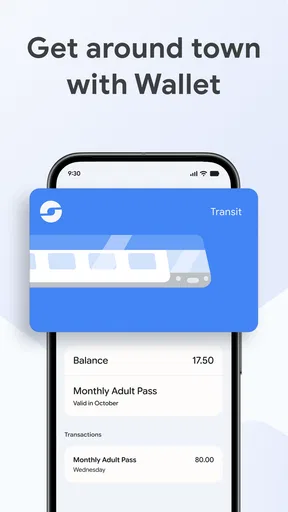
 Analysis by AppCompare
I judge a digital wallet less by how many items it can hold than by how confidently I can use it when money or travel plans are involved. Google Wallet is Google LLC’s free finance app for Android, with a 4.4 average from around 2.2 million ratings and over a billion installs. That reach makes it a familiar option, but popularity is not a substitute for deciding what you personally want to store on your phone. I’d treat it as a convenient organizer and payment tool, then make deliberate choices about which cards and passes belong there.
Everyday convenience, with trust in mind
The appeal is clearest when several everyday items compete for space in a physical wallet: a payment card, a loyalty card, a transit pass, and a ticket for an evening out. Bringing eligible items together can save time at a counter or entrance. The app’s Everyone content rating and minimum Android requirement of version 9 also make its intended audience broad, though access to particular payment methods and passes can depend on the issuer, provider, or place where you use them.
What I would put in it first
I’d start with one payment card and a pass I already use regularly, rather than moving everything at once. That gives me a chance to learn how the app behaves at a checkout or station before relying on it for a full day of errands. It also makes troubleshooting simpler: if a payment method needs verification or a pass does not appear as expected, I have not made the entire contents of my physical wallet depend on one setup process.
Guides and Analysis on Google Wallet
There is a useful distinction between storing a payment method and storing a pass. A card is relevant when I am paying; a boarding pass or event ticket is relevant at a particular moment. Keeping both kinds of items in one app can reduce app-switching, but it does not make every item interchangeable or guarantee that every issuer supports the same options. I’d check each item after adding it and keep an alternative available for anything time-sensitive.
Trust starts with choices, not assumptions
Because this is a finance app, I would not take a reassuring interface as proof that every setup is right for me. I’d review the prompts while adding a card, pay attention to verification steps, and make sure I understand which account I am using. Those are practical moments when a user can slow down and check the details rather than tapping through automatically.
I also separate what I can observe from what I might assume. A security explanation in an app can help me understand a payment flow, but I still want to use the device’s available screen lock and keep my account access under control. If I share a device, change phones, or lose access to an account, I would review the account and device controls available to me instead of assuming the wallet will solve every recovery or privacy concern on its own.
A realistic day with a digital wallet
Imagine I’m heading to work, buying a coffee, and then going to a concert after hours. I can use a saved payment method at a compatible contactless terminal, keep a transit pass handy for the commute, and bring up the event ticket when I arrive. The benefit is not that the phone makes the day effortless in every circumstance; it is that I may have fewer separate cards and paper items to search for at each stop.
Worth Reading Before You Choose

Baby Panda World Brings Quick Play to Modern Phones, but Its Game Library Feels Busy

ESPN’s Live Game View Makes Following Close Games Easier

QuizzLand Review: A Good Fit for Short Trivia Breaks, Not Every Player

Basketball Stars: Multiplayer Is Fast, but Can It Recover When Matches Go Wrong?

WEBTOON Turns Phone Updates Into a Better Reading Routine

Link to Windows Runs on Shared Habits, Not Social Feeds
The sensible habit is to prepare before leaving. I’d check that the ticket or pass is actually present, make sure my phone has enough charge for the outing, and carry a backup payment option when being unable to pay would cause a problem. That last step matters especially when travelling or attending an event: digital convenience is useful, but it should not be the only plan for a situation where access depends on a working device.
Where it fits among the alternatives
Compared with carrying a physical wallet, the app can make contactless checkout and pass retrieval feel quicker, provided the shop or service accepts the relevant digital item. Compared with a bank’s own app, a general-purpose wallet can be more convenient for bringing items from different parts of daily life into one place. The trade-off is that a bank app may remain the clearer choice for account-specific tasks, while a physical card is still the straightforward fallback at places that do not accept phone payments.
I would not choose a digital wallet simply because I want a spending overview. The original article’s mention of spending tracking and purchase notifications points to useful awareness, but anyone needing detailed budgeting or account management may prefer a dedicated finance tool or their bank’s own records. A wallet is most convincing when the main job is convenient access to payment methods and passes, not when it is expected to replace every financial app.
Small frictions that affect daily use
Acceptance is a real limitation: a phone payment only helps when the terminal supports it, and a saved pass is only useful if the relevant provider can supply one in a compatible form. I’d avoid assuming that a digital version will be available for every loyalty scheme or ticket. The original setup experience can be guided and still involve card verification, while manually entering some loyalty-card details can take more patience than simply showing a physical card.
One useful approach is to add items in order of practical value. Start with the payment method you use most, then add a transit or event pass you can test soon, and leave rarely used loyalty cards until later. This keeps the wallet useful without turning setup into a long administrative task. It also helps reveal whether a particular card or pass is worth keeping digitally for your routine.
Who will get the most from it
I think the app is a strong fit for someone who regularly pays by phone, has several passes or tickets to keep track of, and wants those essentials close at hand. It is especially handy for people who move between shops, public transport, and events, because those are the moments when searching through a physical wallet or separate apps can be irritating. Google’s finance app has been available since June 24, 2011, and its 121,000 reviews suggest that many users have taken the time to share their experiences, though I would still judge it by whether its supported items match my own routine.
I’d skip it, or use it only for selected items, if I rarely encounter contactless payment, prefer not to keep payment methods on a phone, or need a service that works consistently without relying on device access. It may also be a poor fit if the cards and passes I care about are not supported by their issuers. In those cases, a physical card, a provider’s own app, or a bank’s app can be the more dependable or more focused choice.
Using it without handing over all your habits
Good user agency comes from being selective. I would add only the cards and passes I expect to use, revisit stored items when they are no longer relevant, and pay attention to account prompts when changing devices. That keeps the app’s role clear and makes it easier to notice when something needs attention. It is also a practical way to avoid treating a convenient central place as a reason to store every possible item there.
For a first use, I’d make a low-stakes purchase at a shop I know accepts contactless payments, then confirm that the transaction appears as expected. For a pass, I’d open it before reaching the gate or venue rather than waiting until I am in a queue. These little checks are not complicated, but they prevent a last-minute scramble and help me learn which parts of my routine are genuinely improved by using the app.
My cautious verdict
After weighing the convenience against the practical limits, I see Google Wallet as a useful everyday companion rather than a complete replacement for a physical wallet or every finance app. Its biggest strength is bringing payment methods and certain passes within quick reach; its biggest caveat is that acceptance and support vary, and device access matters. I’d recommend trying it with a small number of useful items first, then expanding only if the experience fits your habits. It is free to download, but the more important question is whether its supported features work where you actually shop, travel, and spend time.
Setting up the app is pretty straightforward. You just need a Google account, which let’s be honest, most of us already have. After downloading the app, you follow a simple verification process to add your cards. It's user-friendly, with prompts that guide you step-by-step. In just a few minutes, you're ready to go.
Using Google Wallet
Using Google Wallet in stores that accept contactless payments is a breeze. Just unlock your phone, hold it near the terminal, and voilà, payment done! It's fast, secure, and incredibly convenient. Plus, if you're shopping online, you can use Google Pay, which is integrated with the wallet. It also offers added security by not sharing your actual card numbers with merchants.
Security Features
Now, let's talk about security. This is crucial, right? Google Wallet employs multiple layers of protection. It uses advanced encryption and doesn’t store your physical card details on your phone, which is reassuring. Plus, you can enable fingerprint or PIN verification for an added layer of security. I feel more at ease knowing my financial data is safe.
Extra Perks
Beyond its core functions, Google Wallet offers some neat extras. You can track your spending, which is a godsend for anyone trying to budget better. The app even sends you notifications after each purchase, helping you keep tabs on your transactions.
Room for Improvement
No app is perfect, and Google Wallet is no exception. While it covers most bases, I did notice that not all stores are on board with contactless payments yet. It's a minor hiccup, but one that might affect your experience depending on where you shop. Plus, adding loyalty cards sometimes requires manual input, which can be a bit tedious.
Overall, though, Google Wallet is a handy tool that simplifies managing your finances. It's efficient, secure, and integrates seamlessly with your everyday life. If you're looking to lighten your physical wallet, this app is definitely worth checking out.
Pros
- Seamless integration with Google services.
- Supports multiple payment methods easily.
- Strong security with biometric authentication.
- Simple interface for quick transactions.
- Convenient for managing loyalty cards.
Cons
- Limited availability in some countries.
- Not all banks are supported.
- Occasional issues with NFC payments.
- Requires a Google account to use.
- No peer-to-peer payment options.
FAQs for Google Wallet
What features does Google Wallet offer for managing my finances?
Google Wallet provides a convenient platform for managing your finances by allowing you to store debit, credit, and gift cards digitally. You can also use it to make contactless payments at supported locations, track spending, and send or receive money from friends and family seamlessly. Additionally, it supports loyalty programs and transit tickets.
Is Google Wallet secure for my personal and financial information?
Yes, Google Wallet employs multiple layers of security to protect your personal and financial information. It uses encryption to safeguard your data and offers features like fingerprint or PIN authentication for app access. Moreover, real-time alerts and the ability to remotely lock the app add extra layers of protection.
Can I use Google Wallet internationally, and are there any fees involved?
Google Wallet can be used internationally wherever contactless payments are accepted. However, it is essential to check if your card issuer imposes any foreign transaction fees. Google Wallet itself does not charge any fees for using its service, but standard network and currency conversion fees may apply depending on your bank.
What devices are compatible with Google Wallet?
Google Wallet is compatible with most Android devices running version 5.0 (Lollipop) and above, as well as iOS devices with iOS 10 or later. It requires NFC capability for contactless payments. Ensure your device meets these requirements to enjoy all the features that Google Wallet offers.
How can I troubleshoot if Google Wallet is not working properly?
If you encounter issues with Google Wallet, start by ensuring your device’s software and the app are up to date. Check your internet connection, as a stable connection is necessary for transactions. If problems persist, clear the app cache or reinstall the app. For persistent issues, contacting Google Wallet support can provide further assistance.


